
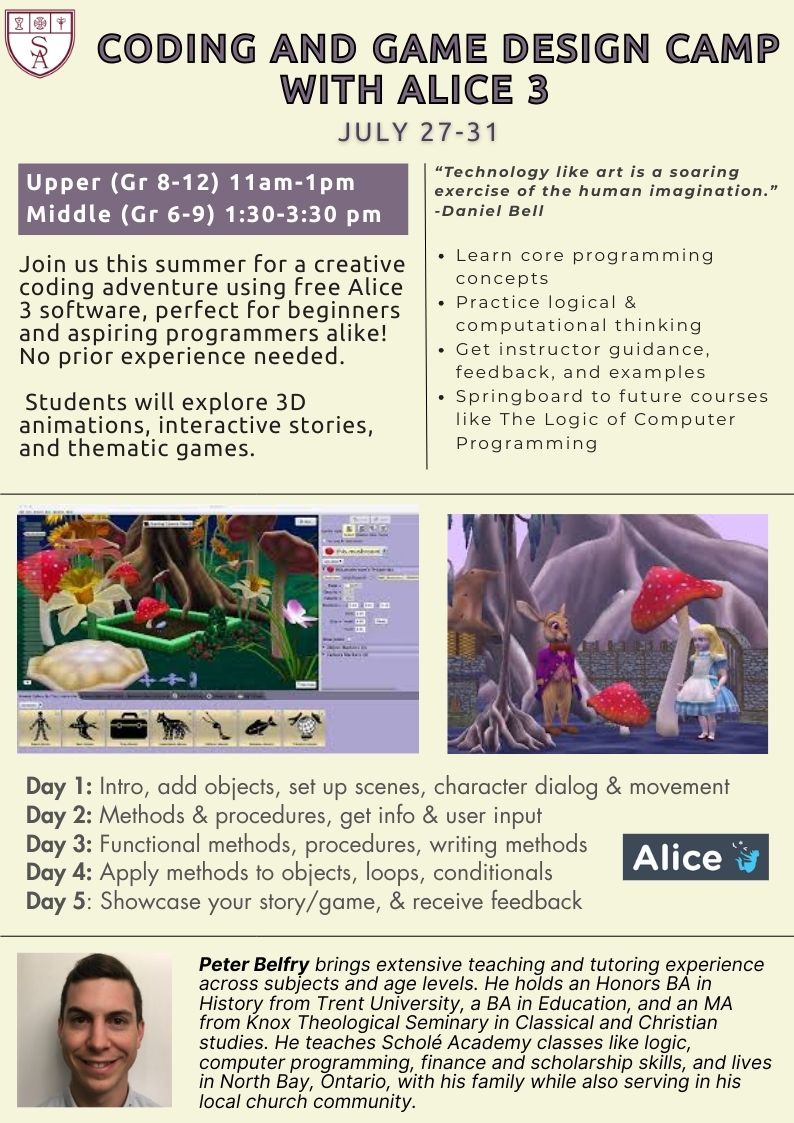
Middle School Game Design and Coding Camp
Required Materials:
Books and supplies are not included in the purchase of the course. These resources are listed to help inform your decision-making as you make course selections and build your course schedule. Please reach out to the instructor if you have any questions about materials.
- Free Alice 3 download
.png?cache=false)
Mr. Peter Belfry
[email protected]Peter Belfry has a wide range of teaching and tutoring experience across a variety of subjects and age levels, from kindergarten through to adult education at the college level. He has taught at several classical, Christian, and public schools. In addition to serving as an instructor with Scholé, Peter is a professor at a local college, where he teaches courses in computer programming, mathematics, business, and workplace skills.
Peter holds an Honors BA in History as well as a BA in Education, specializing in History and Computer Science. He also holds an MA in Classical and Christian Studies from Knox Theological Seminary, which provides him with a strong background for teaching from a classical perspective. During his master's program, he read and reflected on many of the Great Books, such as Plato's Republic, and studied Scripture and church history to understand how these texts have shaped the Western world. Peter has completed teacher training with the Association of Classical Christian Schools at Rockbridge Academy.
In addition to teaching, Peter has experience serving in a pastoral role and enjoys volunteering in his local church and community, helping with evangelistic outreach and teaching Bible lessons. He strongly believes in Scholé’s approach of seeking “restful learning,” viewing education as life-giving and freeing for the soul by acknowledging the Lord Jesus as the source of all that is true, good, and beautiful.
Peter lives with his wife, twin boys, and baby girl. He has developed a passion for a broad range of subject areas including finance, history, philosophy, writing, public speaking, literature, Bible, politics, logic, programming, and mathematics and seeks to teach them all through the lens of a Biblical, Christian worldview.
Currently, Peter teaches the following classes at our school:
The Art of Argument: An Introduction to the Informal Fallacies
The Logic of Computer Programming
The Art of Computer Programming
Faithful Stewardship: A Christian Guide to Personal Finance and Investments
Middle School Scholarship Skills Workshop
 Computer: You will
need a stable, reliable computer, running with a processor with a speed of 1 GHz or better
on one of the following operating systems: Mac OS X with Mac OS 10.7 or later; Windows 8,
7, Vista (with SP1 or later), or XP (with SP3 or later). We do not recommend using an
iPad or other tablet for joining classes. An inexpensive laptop or netbook would be much
better solutions, as they enable you to plug an Ethernet cable directly into your computer.
Please note that Chromebooks are allowed but not preferred, as they do not support certain
features of the Zoom video conference software such as breakout sessions and annotation,
which may be used by our teachers for class activities.
Computer: You will
need a stable, reliable computer, running with a processor with a speed of 1 GHz or better
on one of the following operating systems: Mac OS X with Mac OS 10.7 or later; Windows 8,
7, Vista (with SP1 or later), or XP (with SP3 or later). We do not recommend using an
iPad or other tablet for joining classes. An inexpensive laptop or netbook would be much
better solutions, as they enable you to plug an Ethernet cable directly into your computer.
Please note that Chromebooks are allowed but not preferred, as they do not support certain
features of the Zoom video conference software such as breakout sessions and annotation,
which may be used by our teachers for class activities.
High-Speed Internet Connection:
You will also need access to high-speed Internet, preferably accessible via Ethernet
cable right into your computer. Using Wi-Fi may work, but will not guarantee you the optimal
use of your bandwidth. The faster your Internet, the better. We recommend using a connection
with a download/upload speed of 5/1 Mbps or better. You can test your Internet connection here.
Webcam: You may
use an external webcam or one that is built in to the computer. Webcam Recommendations:
Good (PC only) | Best (Mac and PC)
Headset: We recommend
using a headset rather than a built-in microphone and speakers. Using a headset reduces the
level of background noise heard by the entire class. Headset Recommendations: USB | 3.5mm
Zoom: We use a web
conferencing software called Zoom for our classes, which enables students and teachers to
gather from around the globe face to face in real time. Zoom is free to download and easy
to use.  To
download Zoom:
To
download Zoom:
- Visit zoom.us/download.
- Click to download the first option listed, Zoom Client for Meetings.
- Open and run the installer on your computer.
- In August, students will be provided with instructions and a link for joining their particular class.
Scanner: In this
class, students frequently submit homework assignments by scanning pages from their workbooks.
Students and/or their parents should have easy access to a scanner and the ability to use it.
Step 1
Step 2
Step 3
Step 4
Explore our courses!
First, read the available course descriptions, noting prerequisites, target grades, and course objectives. If you think your student is prepared for the course, go ahead and register. After registration, a placement assessment may be provided to students, depending on the course and the student's previous enrollment with Scholé Academy. Registration is finalized when the student's placement assessment has been returned by the course instructor with placement confirmation.
All Courses | By Grade
Read the Student-Parent Handbook.
Please take careful note of our teaching philosophy, our technology requirements, our school policies, the parent agreement, and the distinctions between our grade levels.
Double-check the course section dates and times.
Make sure they don't conflict with other activities in your schedule or other courses you are purchasing. Our system will not catch double-bookings!
You're ready to add course selections to your cart!
Our Assistant to the Principal will be in touch with you after your enrollment to help you with next steps, including any placement evaluations that may be required for your course selections.
This registration will be finalized when the student's placement assessment has been returned by the course instructor with placement confirmation.